Inviting Users
After importing or adding users, you can send them an invitation to set up their account. TeamHub prevents duplicate invitations from being sent too frequently. Note that only the most recent invitation link is valid — sending a new invitation invalidates all previously sent links.
There are two ways to send invitations:
One by one — On the Users screen, use the dropdown next to the user’s name.
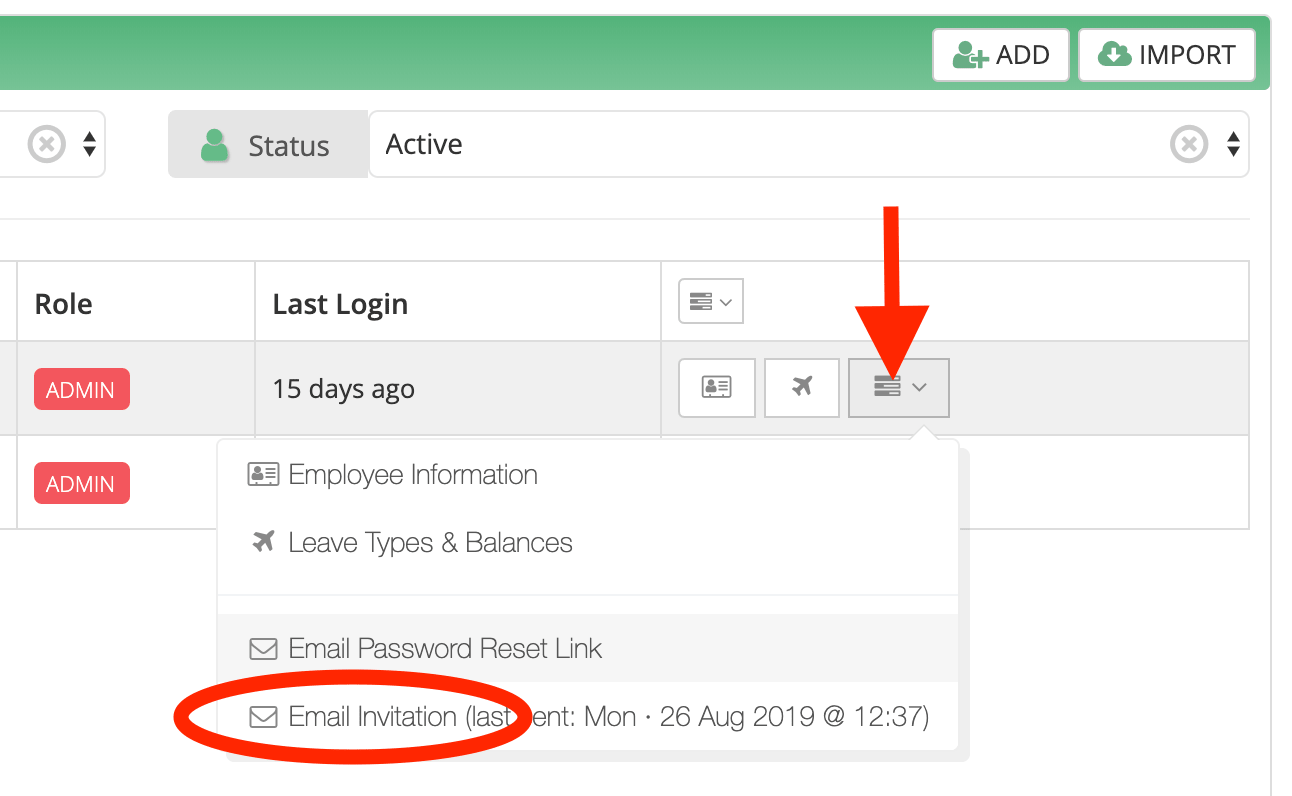
In bulk — On the Users screen, use the small dropdown menu at the top of the action column to invite multiple users at once.
