Leave
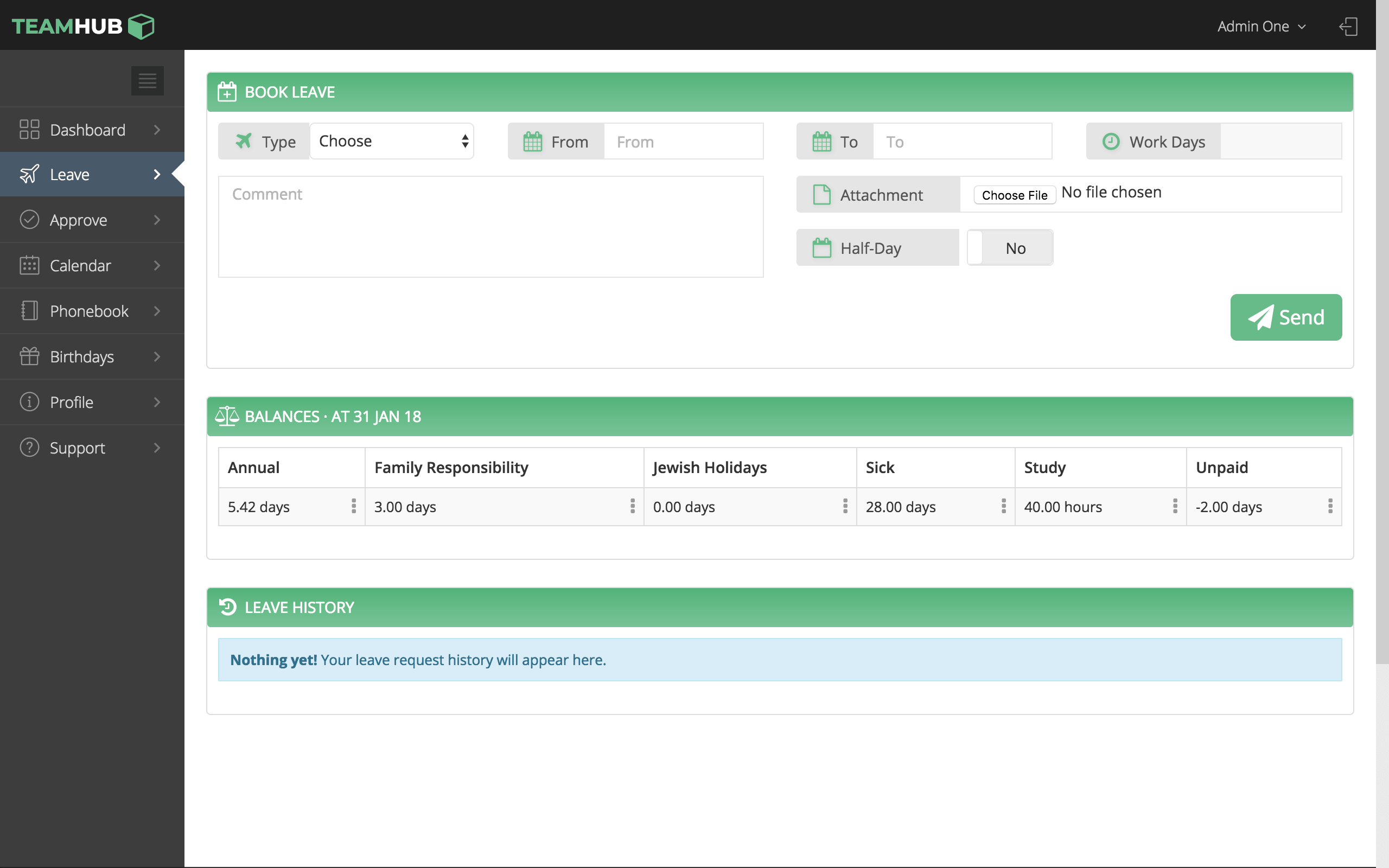
The leave screen is the primary place for employees to book leave and view their balances.
Booking Leave
Select a leave type from the Type dropdown — for example, Annual or Sick. If the leave type you need is not listed, contact your HR administrator.
After selecting dates, the system automatically calculates the number of working days required. You can attach supporting documentation (such as a medical certificate) for your manager to review before approving the request.
Viewing Balances
Below the booking form, your current leave balances are displayed. Click on any balance row to see a detailed breakdown of how the balance was calculated, including opening balance, accruals, adjustments, and approved leave taken.
For a full explanation of how balances are calculated, see Balances.
Leave History
Your submitted and historical leave requests are listed below your balances. Each entry shows the type, dates, status, and any comments from your manager.